Upload from the browser
Uploading DICOM datasets
Section titled “Uploading DICOM datasets”-
De-identify DICOM on scanner or upload pc
-
Zip DICOM files into a zip file
-
Log in to XNAT (see Logging in to XNAT)
-
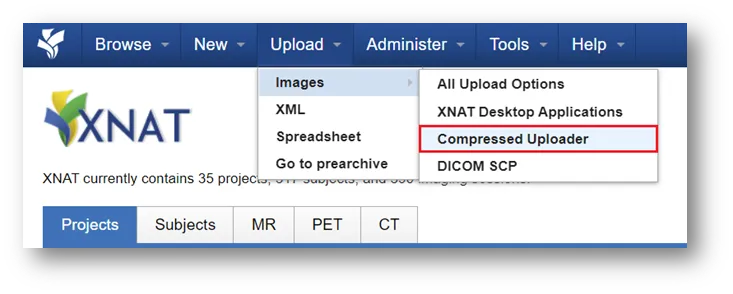
From the top panel, select Upload → Images → Compressed Uploader
-
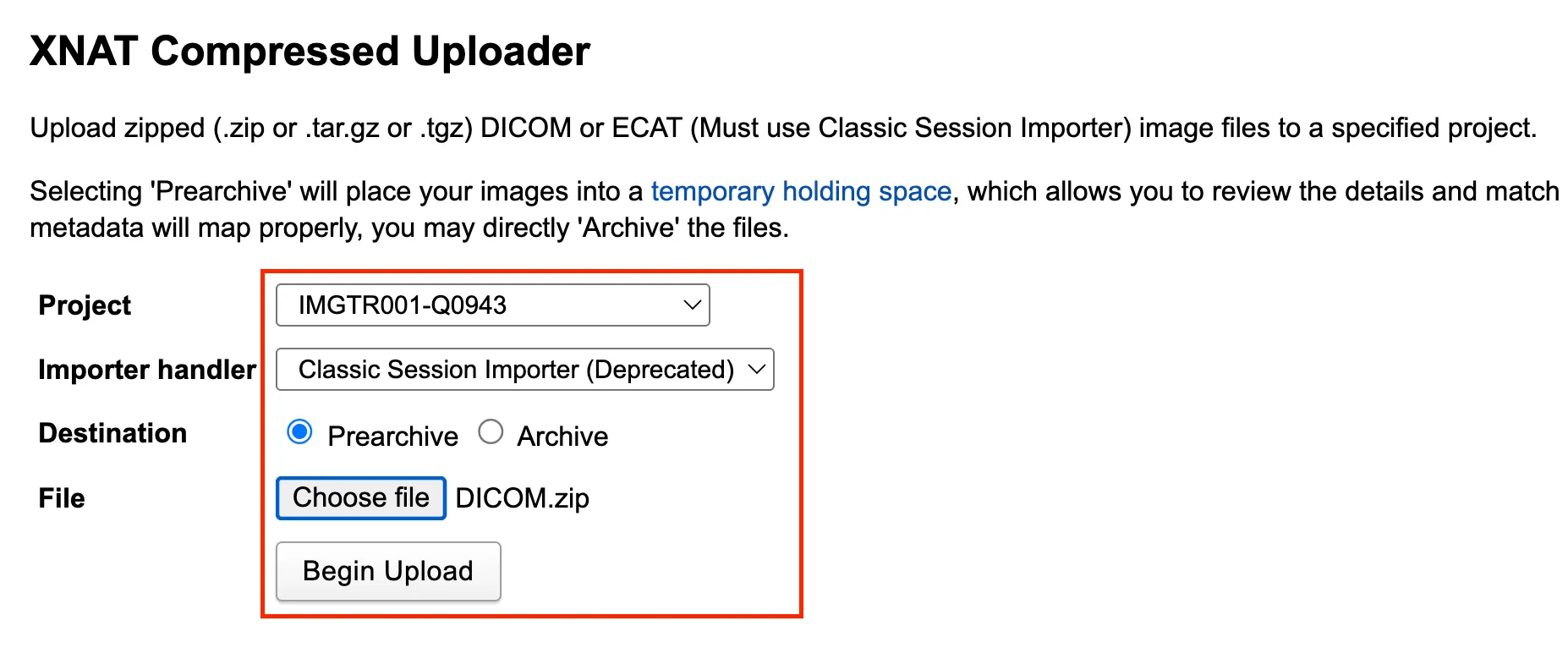
Specify the following options:
- Project
- Destination: Select Prearchive
- Choose file to select zipped file with DICOMs
-
Click Begin Upload. Wait for:
- Upload percent bar to finish (percent bar may not appear for small datasets)
- Background processes panel to appear on bottom right
- Green tick under Upload extraction/review for archival

For further information refer to the XNAT official guide on using the compressed image uploader.