Fixing stuck uploads
If data you uploaded has not appeared in your XNAT project, it is probably waiting in the prearchive — a holding area that uploads pass through before they are archived into a project.
Data usually stops there when:
- a DICOM dataset matching an existing session is sent again
- part of a session is uploaded separately
Finding your data
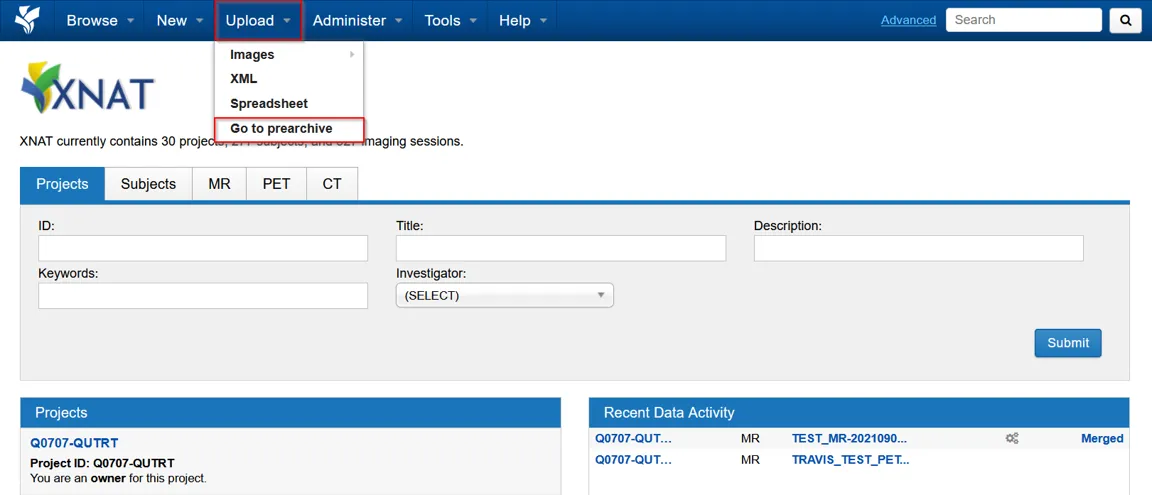
Section titled “Finding your data”Go to Upload on the top menu, then Go to prearchive.
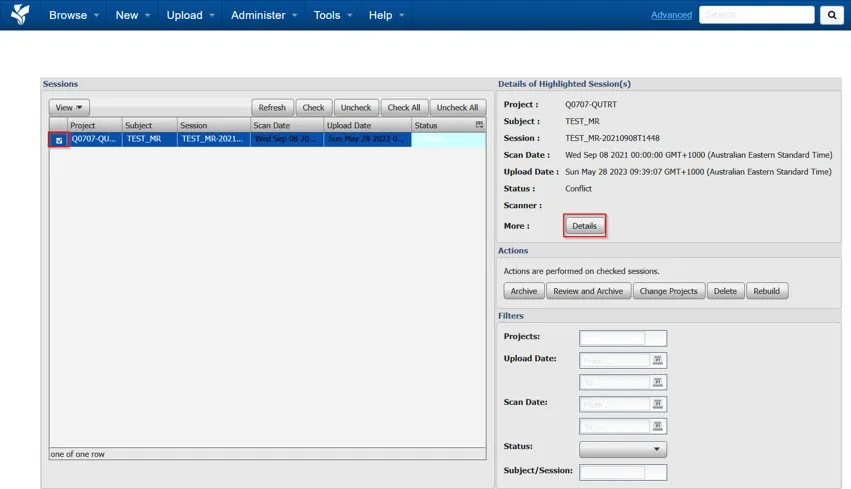
Select the session and choose Details to review it. Below is an example of a session in conflict.
From here you can download the session or individual scans to check the contents before deciding what to do with it.
Archiving the data
Section titled “Archiving the data”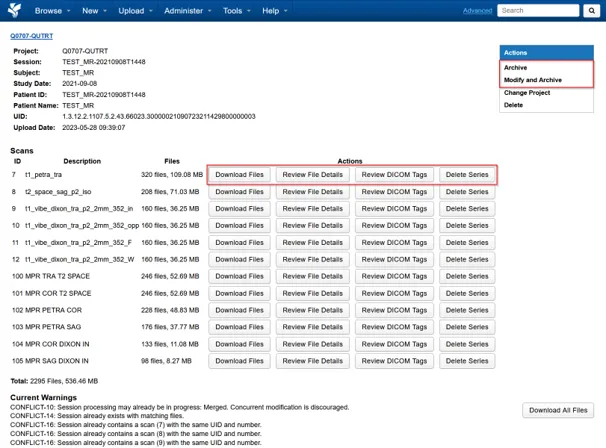
This choice matters, and it cannot be undone easily:
- Archive merges the data into the existing session in your project. Use this when the upload is the missing part of a session that is already there.
- Modify and Archive lets you change the details first. Use this when the data should become a separate session, or when the session or subject labels are wrong.
Next steps
Section titled “Next steps”Upload from the browserPrepare a de-identified DICOM archive and send it to the prearchive.
Get supportContact RCC if you cannot resolve an upload or archive conflict.